
Infotech Deposits
INTRODUCTION
Infotech Deposits is a purpose‑built Microsoft Dynamics 365 Business Central extension designed to bring structure, visibility, and control to customer deposit handling. It enables organizations to manage deposits from initial receipt through final application with full financial accuracy—without workarounds, manual tracking, or reporting distortions.
BENEFITS
Use it to:
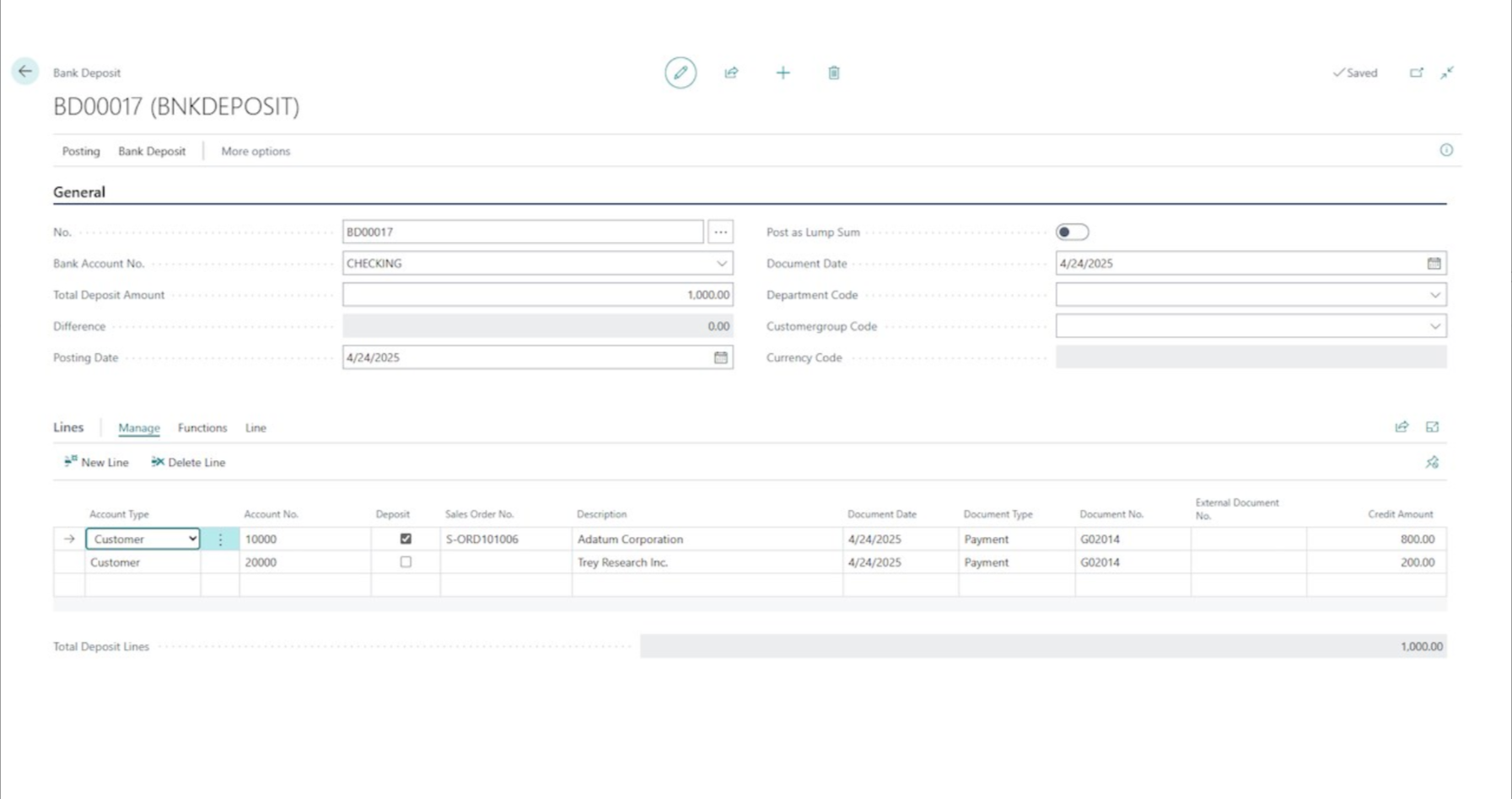
- Capture customer deposits and post them to dedicated deposit G/L accounts (separate from receivables)
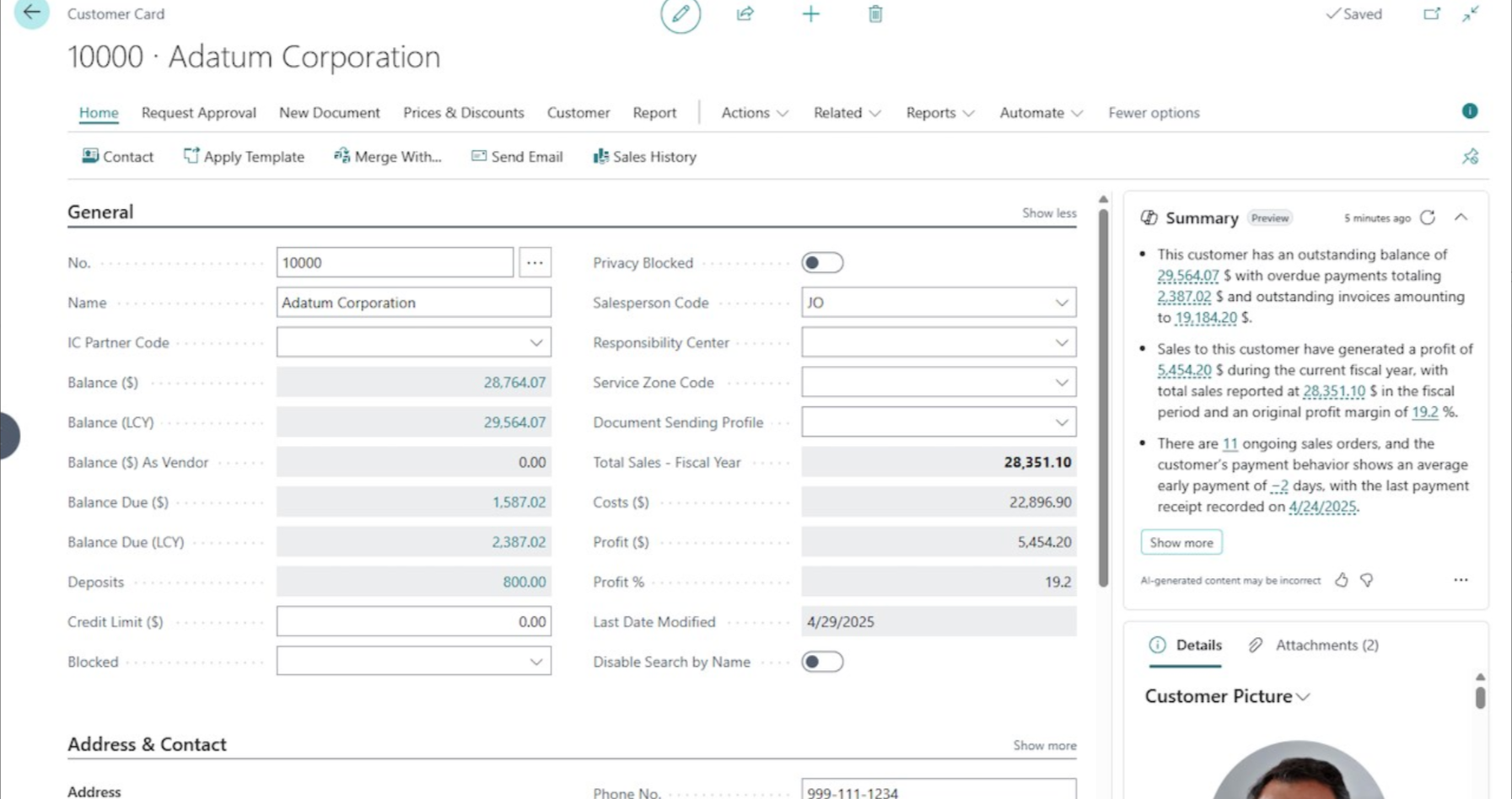
- Track deposits through Customer Ledger Entries and Detailed Customer Ledger Entries
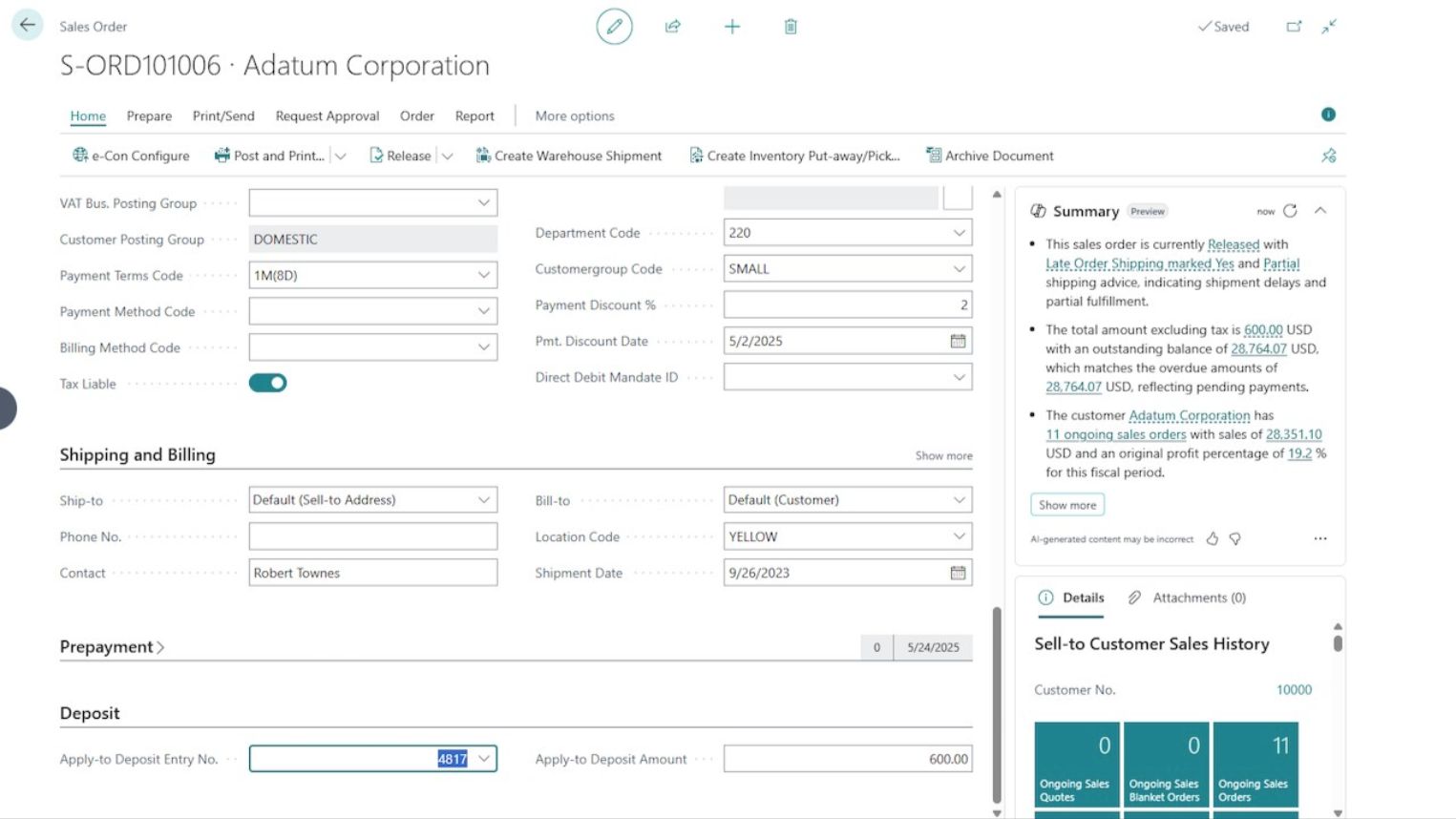
- Apply open deposits to Sales Orders with validation to prevent over-application
- Improve visibility with customer FlowFields (deposit-aware balances)
- Control whether deposits appear in Aged Accounts Receivable reporting
Key Features
- Clear financial reporting Keep deposits segregated from standard receivables.
- Full audit trail Deposits can be linked to originating sales orders and remain traceable through posting.
- Low-friction user experience Deposit fields are added where users already work (Sales Orders, Customer Card, journals/Bank Deposits, ledger entries).
Deposit
▦
Track
⌕
Apply
✓
CONTACT TODAY
View us on Microsoft AppSource here: Infotech Deposits
For purchase pricing, please contact Infotech Consulting Group.
Backed by over three decades of experience, we understand what businesses need to succeed.
Our team is ready to meet your business needs with confidence and precision.
Quick Start
Installation
- Install the Infotech Deposits extension from AppSource
- Grant the appropriate permissions to users who will be handling deposits
- Complete the initial setup configuration (see Configuration section)
First Use
- Navigate to Bank Deposits or the Cash Receipts Journal
- Explore the interface and begin recording Deposits
- Review the User Guide for detailed instructions
Configuration
Before using the functionality in production:
- Visit Customer Posting Groups to configure the General Ledger Account settings
Core Functionality
- Deposit Segregation – Keep customer deposits fully separate from standard receivables using dedicated G/L accounts.
- Deposit Capture & Posting – Record deposits through existing Business Central posting processes with no custom workarounds.
- Automated Deposit Application – Apply open deposits to Sales Orders during posting with built‑in validation to prevent over‑application.
- Deposit‑Aware Customer Balances – Calculate real‑time customer balances that correctly reflect deposits using FlowFields.
- Aged AR Reporting Control – Choose whether deposits appear in Aged Accounts Receivable reports to maintain clean AR aging.
- Auditability & Traceability – Link deposits directly to originating sales orders and preserve traceability throughout the posting lifecycle.
- Bank Deposit Identification – Identify and manage customer deposits during bank reconciliation and deposit posting.
- Seamless Business Central Integration – Extend native sales and receivables functionality without disrupting user experience or core processes.
Support & Resources
For support, documentation, or additional information:
Publisher Website: https://www.infotech-inc.com
Privacy Policy: https://www.infotech-inc.com/privacy
License Agreement: https://www.infotech-inc.com/appsource-eula
Help Center: https://www.infotech-inc.com/infotech-deposits