
Infotech Project Scheduler
INTRODUCTION
The Infotech Project Scheduler is a powerful Business Central extension that transforms how you manage projects and resources. With an intuitive Gantt chart-style interface, this extension provides visual scheduling, real-time resource management, and interactive task planning capabilities directly within your Business Central environment.
Whether you’re managing a single project or coordinating multiple complex initiatives across teams, the Infotech Project Scheduler delivers the tools you need to keep projects on track and resources optimally utilized.
BENEFITS
Visual Project Management
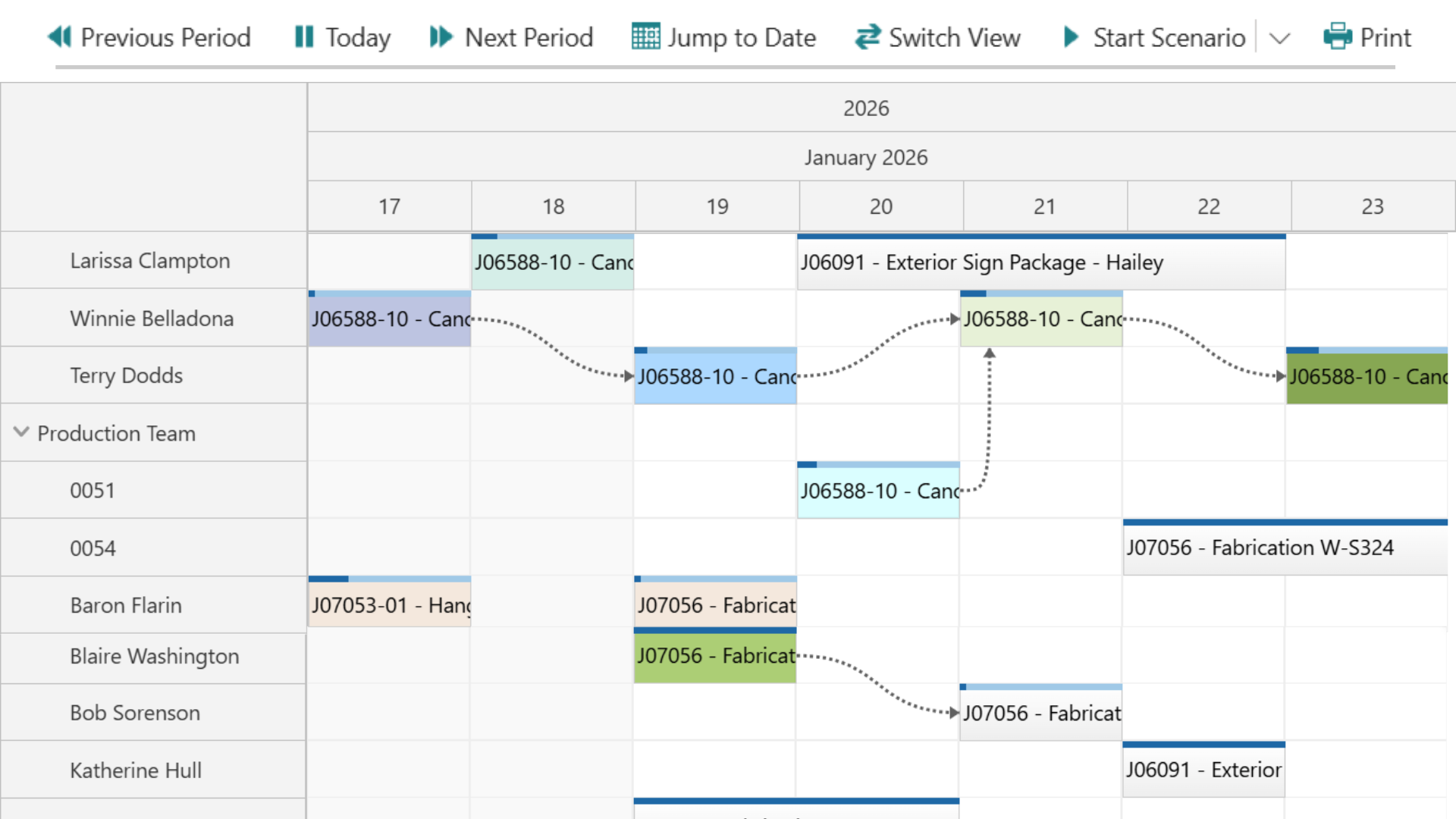
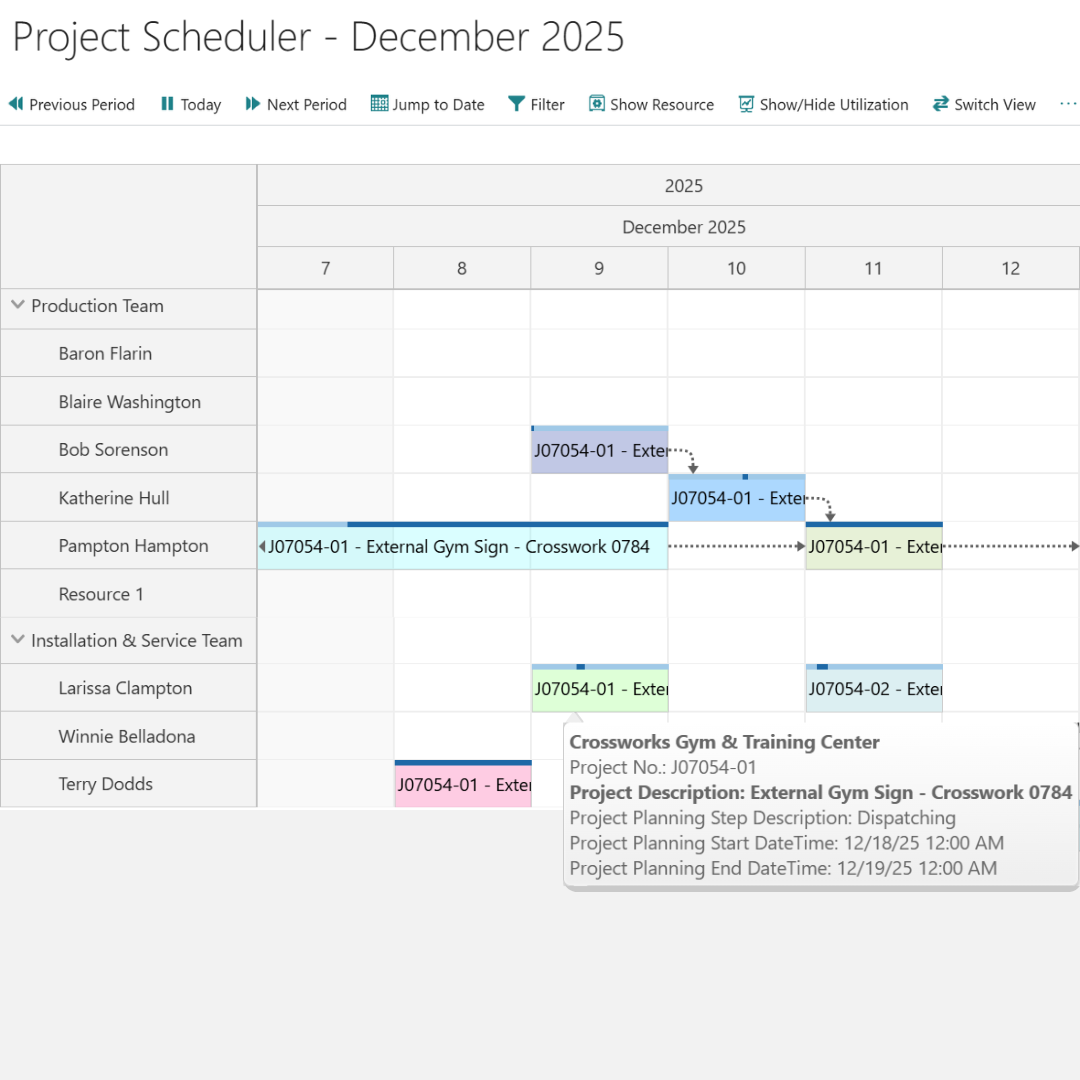
- Interactive Gantt Chart – View all projects and tasks on an intuitive timeline
- Drag-and-Drop Scheduling – Adjust task dates and durations with simple mouse movements
- Color-Coded Tasks – Quickly identify task status at a glance
- Multi-Period Views – Switch between day, week, month, quarter, and year views
Resource Management
- Resource Utilization Dashboard – Monitor how resources are allocated across projects
- Resource Tree View – Organize and filter resources by department or team
- Conflict Detection – Identify resource overallocations and scheduling conflicts
- Resource Details – Access comprehensive resource information directly from the scheduler
Advanced Scheduling
- Scenario Mode – Experiment with different project scenarios without affecting live data
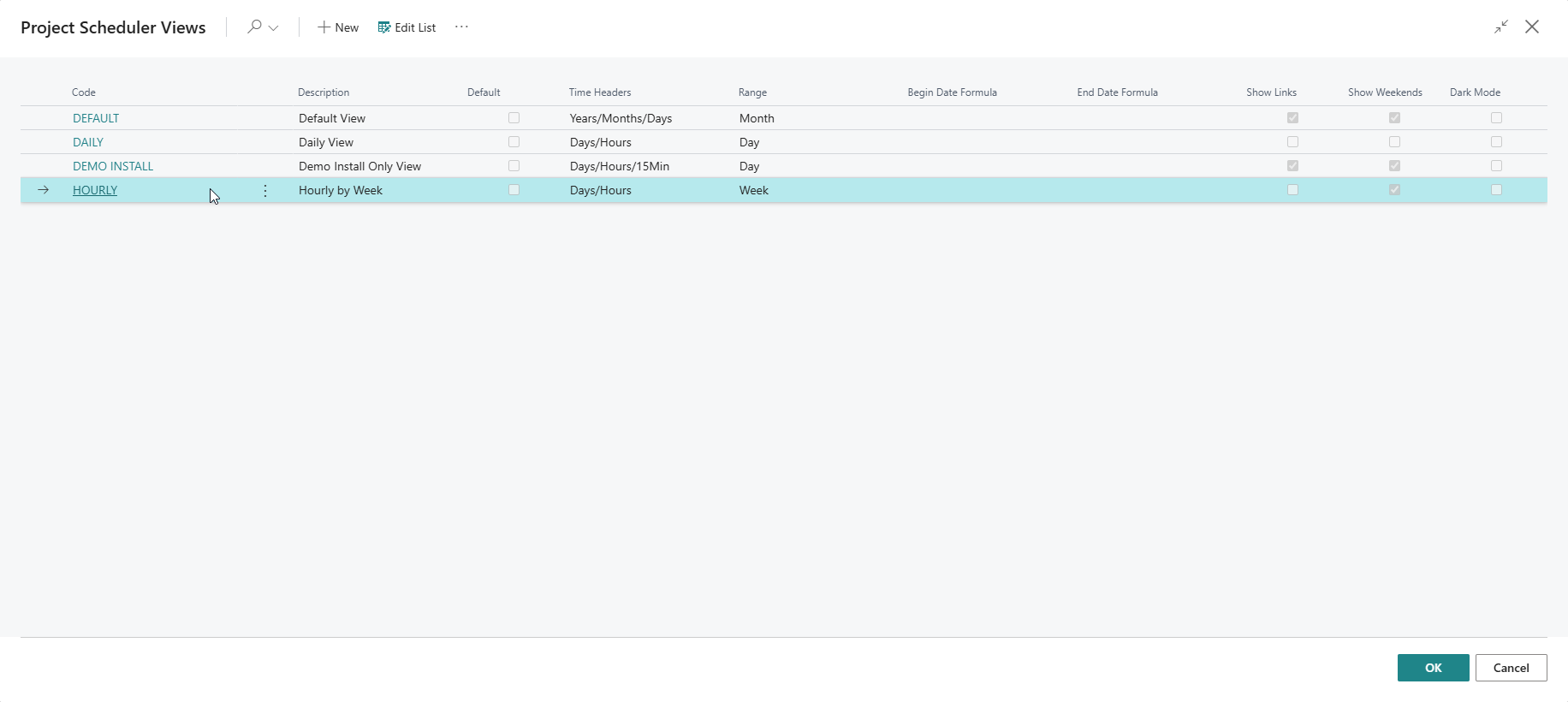
- Custom Views – Create and save multiple scheduler views for different teams or projects
- Flexible Filtering – Filter tasks by project, resource, status, and custom criteria
- Time Navigation – Jump to specific dates or navigate through time periods effortlessly
Customization & Control
- Locale Support – Multi-language interface with region-specific date and time formats
- Configurable Color Schemes – Customize bar and bubble colors to match your workflow
- Planning Steps Configuration – Define and track custom project stages
- Setup Pages – Configure the scheduler to match your business processes
Drag-and-Drop
✥
Visualize
⌕
Organize
⧉
CONTACT TODAY
View us on Microsoft AppSource here: Infotech Project Scheduler
For purchase pricing, please contact Infotech Consulting Group.
Backed by over three decades of experience, we understand what businesses need to succeed.
Our team is ready to meet your business needs with confidence and precision.
Quick Start
Installation
- Install the Infotech Project Scheduler extension from AppSource or via your deployment process
- Grant the appropriate permissions to users who will be scheduling projects
- Complete the initial setup configuration (see Configuration section)
First Use
- Navigate to Projects or search for “Project Scheduler” in Business Central
- Open the Project Scheduler page
- Explore the interface and begin scheduling your projects
- Review the User Guide for detailed instructions
Configuration
Before using the scheduler in production:
- Visit Project Scheduler Setup to configure time display settings
- Set up color schemes in Scheduler Setup Color
- Configure planning steps in Planning Steps Color
- Establish your organization’s standard bar setup in Bar Setup
Main Components
Pages & User Interfaces
- Project Scheduler – Main scheduling interface with Gantt chart view
- Project Scheduler Views – Manage custom scheduler views
- Scheduler Setup – Configuration and customization pages
- Resource Tree – Resource organization and management
Core Functionality
- Interactive Scheduling – Drag-and-drop task management
- Resource Allocation – Visual resource utilization tracking
- Multi-View Support – Switch between different project perspectives
- Scenario Planning – Test scheduling alternatives
- Date Navigation – Flexible time period navigation
Support & Resources
For support, documentation, or additional information:
Publisher Website: https://infotech-inc.com
Privacy Policy: https://infotech-inc.com/privacy
License Agreement: https://infotech-inc.com/appsource-eula
Help Center: https://infotech-inc.com/infotech-project-scheduler
User Guide
Access the free user guide for a complete walkthrough and answers to common questions.